
GoHighLevel WhatsApp Integration: Complete Setup Guide (2026)
WhatsApp has become one of the most powerful communication channels for businesses. With billions of active users worldwide, customers increasingly expect to ask questions, receive updates, and book services through WhatsApp instead of waiting for emails or phone calls.
For businesses using GoHighLevel (GHL), integrating WhatsApp creates a faster, more personal, and highly effective way to engage with leads and customers. Instead of switching between multiple apps, you can manage conversations, automate replies, trigger workflows, and track customer interactions directly from your CRM.
Whether you're running a digital marketing agency, a healthcare clinic, a real estate business, an online coaching service, or a local service company, GoHighLevel WhatsApp Integration helps you respond faster, improve customer satisfaction, and increase conversions.
In this guide, you'll learn what GoHighLevel WhatsApp Integration is, why businesses are adopting it, how to set it up, common mistakes to avoid, and best practices for building automated WhatsApp conversations that drive results.
What Is GoHighLevel WhatsApp Integration?
GoHighLevel WhatsApp Integration connects your WhatsApp Business account with your GoHighLevel CRM, allowing you to send, receive, and automate WhatsApp messages from within the platform.
Instead of managing customer conversations on a mobile device, your team can communicate directly through GoHighLevel while keeping every interaction linked to the customer's profile.
This means you can:
- Send personalized WhatsApp messages
- Receive incoming customer chats
- Trigger automated responses
- Send appointment confirmations
- Share invoices and documents
- Send reminders and follow-ups
- Qualify new leads automatically
- Keep all conversations inside your CRM
By combining WhatsApp with GoHighLevel's automation engine, businesses can create a seamless communication experience without relying on separate messaging tools.
Why Businesses Are Integrating WhatsApp with GoHighLevel
Email remains valuable, but response rates have declined as inboxes become increasingly crowded. Many customers now prefer instant messaging because it's faster, more convenient, and feels more personal.
WhatsApp messages are often opened within minutes, making them ideal for time-sensitive communication such as appointment reminders, quote follow-ups, delivery updates, or lead nurturing.
When integrated with GoHighLevel, WhatsApp becomes more than a messaging app—it becomes part of your sales and marketing system.
For example, when someone submits a lead form on your website, GoHighLevel can automatically:
- Create a new contact in your CRM.
- Send an instant WhatsApp welcome message.
- Notify your sales team.
- Assign the lead to a pipeline stage.
- Schedule follow-up messages if the customer doesn't respond.
- Stop automation once the customer replies.
This reduces manual work while ensuring every lead receives timely communication.
Key Benefits of GoHighLevel WhatsApp Integration
Businesses that integrate WhatsApp with GoHighLevel often experience improvements in both efficiency and customer engagement.
Some of the biggest advantages include:
- Faster response times for new leads
- Higher customer engagement compared to email alone
- Centralized conversations within your CRM
- Automated appointment reminders and confirmations
- Personalized follow-up campaigns
- Reduced missed opportunities through automated workflows
- Better visibility into customer interactions
- Improved collaboration across sales and support teams
Instead of treating WhatsApp as a standalone messaging app, GoHighLevel transforms it into a fully integrated communication channel that supports your entire customer journey.
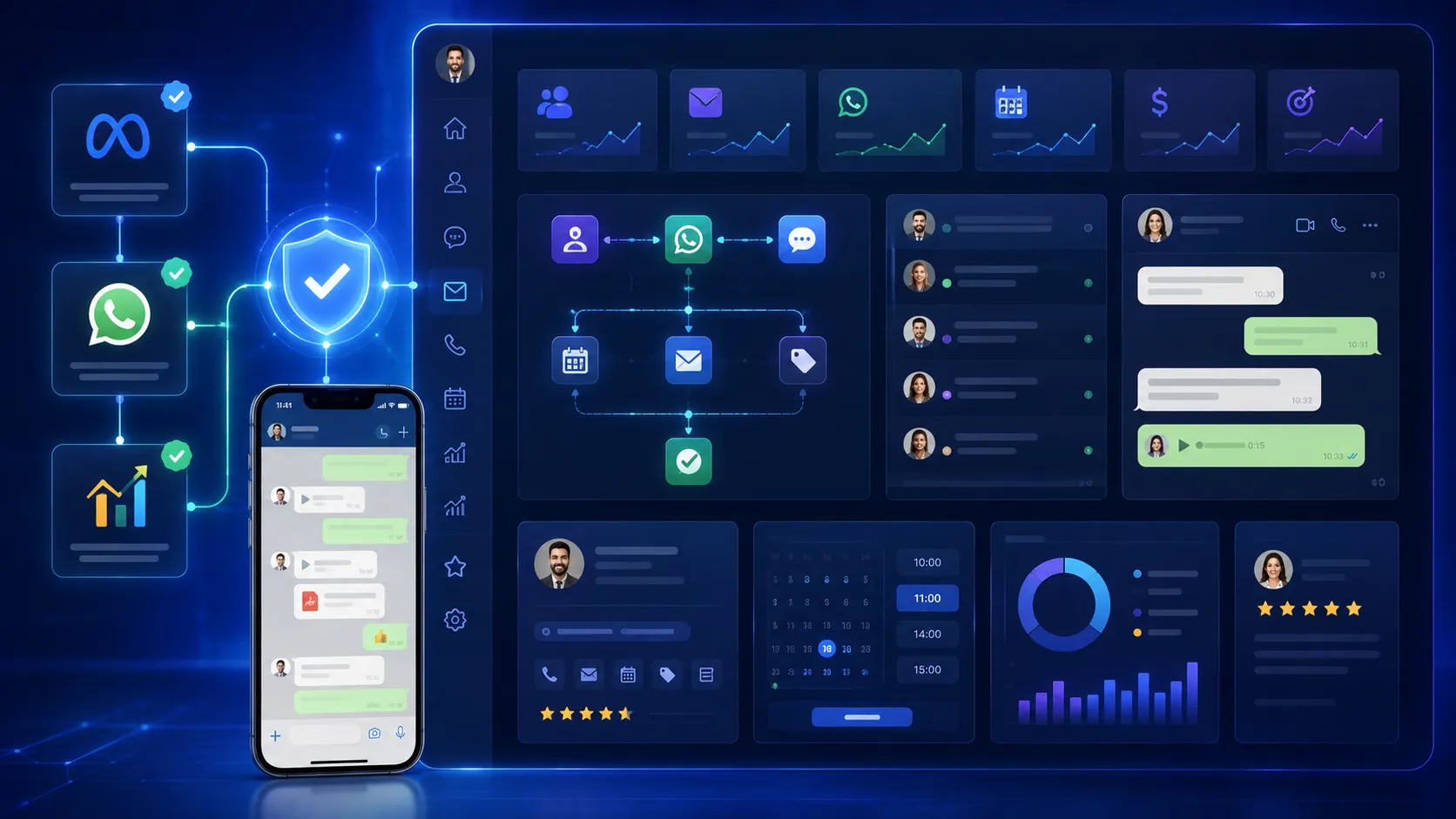
Now that you understand what GoHighLevel WhatsApp Integration is and why businesses are using it, it's time to set it up correctly.
Although the setup process is straightforward, many users run into issues because they skip important prerequisites or misunderstand how the WhatsApp Business API works.
This section walks you through everything you need before connecting WhatsApp to GoHighLevel and the steps to complete the integration successfully.
What You’ll Need Before You Start
Before connecting WhatsApp to GoHighLevel, make sure you have the following:
1. A GoHighLevel Account
You'll need an active GoHighLevel account with administrator access so you can configure integrations and automation workflows.
If you're managing multiple client accounts, ensure you're working inside the correct sub-account before beginning the setup.
2. A WhatsApp Business Account
GoHighLevel works with the WhatsApp Business Platform (formerly WhatsApp Business API), not the standard personal WhatsApp application.
If you're currently using the regular WhatsApp Messenger app for business, consider migrating to a WhatsApp Business account before starting the integration.
Using a business account gives you access to:
- Business profile
- Verified business information
- Automated messaging
- Message templates
- Customer support features
- Integration with CRM platforms
3. Meta Business Account
Since WhatsApp is owned by Meta, you'll need a Meta Business Manager account.
Your business should have:
- A verified business profile
- A valid business email
- A phone number for WhatsApp
- Required verification documents (if requested)
Business verification increases trust and unlocks additional messaging capabilities.
4. A Dedicated Phone Number
The phone number connected to the WhatsApp Business Platform should ideally be dedicated to your business.
For best results:
- Use a number that customers can recognize.
- Avoid frequently changing the number.
- Ensure it can receive verification codes during setup.
If the number is already registered with another WhatsApp Business Platform account, you may need to migrate it before connecting it to GoHighLevel.
Step-by-Step Guide to Connect WhatsApp with GoHighLevel
Once everything is ready, you can begin the integration process.
Step 1: Open Your GoHighLevel Sub-Account
Log in to GoHighLevel and select the location (sub-account) where you want to enable WhatsApp.
If you're an agency, remember that WhatsApp is configured separately for each client account.
Step 2: Navigate to WhatsApp Settings
Inside your GoHighLevel dashboard:
Settings → Integrations → WhatsApp
Depending on your subscription and available features, you may be prompted to begin the WhatsApp onboarding process.
Follow the setup wizard to continue.
Step 3: Connect Your Meta Account
During setup, GoHighLevel will ask you to sign in to your Meta Business account.
After logging in:
- Select your business.
- Choose your WhatsApp Business Account.
- Select or register your phone number.
- Grant the required permissions.
Once approved, GoHighLevel establishes a secure connection between your CRM and WhatsApp.
Step 4: Verify Your Business Phone Number
Meta will send a verification code to your selected phone number.
Enter the code to confirm ownership.
After successful verification, your WhatsApp Business account becomes available inside GoHighLevel.
Step 5: Test the Connection
Before building automation, send a test message.
Check that you can:
- Send WhatsApp messages
- Receive customer replies
- View conversations inside the CRM
- See contact history update automatically
Testing early helps identify configuration issues before customers start interacting with your business.
Creating Your First WhatsApp Automation
The real power of GoHighLevel begins after the connection is complete.
Instead of manually responding to every lead, you can automate conversations using workflows.
For example, imagine someone completes a "Request a Quote" form on your website.
Within seconds, GoHighLevel can automatically:
- Create a new contact.
- Add the lead to your sales pipeline.
- Send a personalized WhatsApp welcome message.
- Notify your sales representative.
- Wait for a response.
- Send a reminder if there's no reply after 24 hours.
- Assign follow-up tasks to your team.
This ensures every lead receives immediate attention, even outside business hours.
Real-World Use Cases
Different industries can use WhatsApp automation in unique ways.
Digital Marketing Agencies
- Send onboarding messages to new clients.
- Share campaign updates.
- Collect approvals quickly.
- Schedule strategy calls.
Healthcare Clinics
- Appointment confirmations
- Reminder messages
- Follow-up care instructions
- Patient satisfaction surveys
Real Estate Agencies
- Property inquiry responses
- Viewing confirmations
- New listing alerts
- Buyer qualification questions
Coaches and Consultants
- Discovery call reminders
- Course enrollment updates
- Session follow-ups
- Payment reminders
Local Service Businesses
Businesses such as plumbers, electricians, HVAC companies, and cleaning services can use WhatsApp to confirm bookings, notify customers when technicians are on the way, and request reviews after completing a job.
Common Setup Mistakes to Avoid
Many businesses experience problems during setup because of avoidable mistakes.
Here are the most common ones:
- Using a personal WhatsApp account instead of a WhatsApp Business account.
- Connecting the wrong Meta Business account.
- Skipping Meta Business verification.
- Registering an incorrect phone number.
- Forgetting to test message delivery after setup.
- Launching automation without testing workflows.
- Sending promotional messages without customer consent.
Taking the time to configure everything correctly from the start helps avoid disruptions later.

Connecting WhatsApp to GoHighLevel is only the beginning. The real value comes from using automation to engage leads, reduce manual work, and deliver a consistent customer experience.
Instead of sending every message yourself, you can build intelligent workflows that communicate with customers based on their actions.
How to Automate WhatsApp Messages in GoHighLevel
GoHighLevel's Workflow Builder lets you create automated sequences without writing code.
A workflow starts with a trigger, performs one or more actions, and can include conditions to personalize the customer journey.
For example:
Trigger: A visitor submits a contact form.
Actions:
- Create a contact in the CRM.
- Add the lead to the "New Leads" pipeline.
- Send a personalized WhatsApp welcome message.
- Notify a sales representative.
- Wait 24 hours.
- If the customer hasn't replied, send a follow-up WhatsApp message.
- Create a reminder task for your team.
This ensures every new lead receives immediate attention—even outside business hours.
Powerful WhatsApp Automation Ideas
Once your integration is live, you can automate far more than welcome messages.
Here are some practical workflows businesses use every day.
Lead Qualification
Automatically ask new leads questions such as:
- What service are you interested in?
- What is your budget?
- When would you like to start?
The answers can update custom fields and move contacts into the correct sales pipeline.
Appointment Reminders
Reduce no-shows by sending:
- Booking confirmations
- 24-hour reminders
- One-hour reminders
- Follow-up messages after the appointment
These reminders improve attendance while reducing manual administrative work.
Sales Follow-Ups
Many leads don't respond immediately.
Instead of forgetting about them, GoHighLevel can automatically send follow-up messages over several days while stopping the sequence as soon as the customer replies.
Customer Support
WhatsApp can also support existing customers by:
- Sharing order updates
- Answering common questions
- Sending invoices
- Delivering documents
- Providing service updates
This creates a faster and more convenient support experience.
Using AI with GoHighLevel WhatsApp
One of the biggest trends in 2026 is combining AI with WhatsApp automation.
Businesses are increasingly using AI-powered assistants to handle repetitive conversations before a human agent takes over.
Examples include:
- Answering frequently asked questions
- Booking appointments automatically
- Qualifying new leads
- Providing pricing information
- Collecting customer details
- Routing conversations to the correct team member
When integrated with GoHighLevel, AI can work alongside your workflows, ensuring customers receive instant responses while your team focuses on more complex conversations.
Best Practices for GoHighLevel WhatsApp Integration
Setting up the integration is only half the job. Following best practices will help improve engagement and maintain customer trust.
Get Customer Consent
Always ensure customers have agreed to receive WhatsApp messages. This helps you comply with messaging policies and creates a better user experience.
Personalize Your Messages
Avoid sending generic broadcasts.
Instead of:
"Hello Customer."
Use:
"Hi Sarah, thanks for requesting a quote for your kitchen renovation."
Personalized messages feel more natural and typically generate better response rates.
Keep Messages Short and Clear
WhatsApp is designed for quick conversations.
Focus on one message, one purpose, and one clear call to action.
Don't Spam Customers
Sending too many promotional messages can lead customers to mute or block your business.
Use automation thoughtfully and only when messages provide genuine value.
Monitor Performance
Review metrics such as:
- Message delivery rate
- Read rate
- Reply rate
- Conversion rate
- Appointment bookings
- Pipeline movement
These insights help you refine your automation over time.
Common GoHighLevel WhatsApp Issues (and Solutions)
Even with a proper setup, you may encounter occasional problems.
Messages Not Sending
Possible causes:
- WhatsApp Business account not connected correctly
- Phone number verification incomplete
- Meta account permissions missing
- Workflow configuration errors
Always test your automation after making changes.
Customer Replies Aren't Appearing
Check:
- CRM conversation settings
- WhatsApp connection status
- User permissions
- Integration health
Most issues can be resolved by reconnecting the integration or reviewing workflow settings.
Automation Doesn't Trigger
Verify:
- Workflow is published
- Trigger conditions are correct
- Contact entered the workflow
- Required fields are completed
Testing with a sample contact is the fastest way to identify problems.
Frequently Asked Questions
Can I use my personal WhatsApp account with GoHighLevel?
No. GoHighLevel is designed to work with the WhatsApp Business Platform rather than a personal WhatsApp account.
Can I automate WhatsApp messages?
Yes. You can automate welcome messages, follow-ups, appointment reminders, review requests, lead qualification, and much more using GoHighLevel Workflows.
Is WhatsApp integration included in every GoHighLevel plan?
Available features may vary depending on your GoHighLevel subscription and Meta's requirements. Review your current plan before enabling WhatsApp integration.
Can multiple team members manage WhatsApp conversations?
Yes. Since conversations are stored inside GoHighLevel, authorized team members can access customer chats from the CRM, making collaboration much easier.
Final Thoughts
GoHighLevel WhatsApp Integration is more than a simple messaging feature—it's a powerful way to centralize customer communication, automate repetitive tasks, and build stronger relationships at every stage of the customer journey.
From capturing leads and booking appointments to sending reminders and following up after a sale, WhatsApp becomes a seamless part of your sales and marketing system when connected to GoHighLevel.
If you're looking to improve response times, increase conversions, and reduce manual work, implementing WhatsApp automation is a smart investment for your business.
Need Help Setting Up GoHighLevel WhatsApp Integration?
At Jaseir, we help businesses implement GoHighLevel the right way—from initial setup to advanced automation.
Our services include:
- Complete GoHighLevel WhatsApp Integration
- WhatsApp Business Platform setup
- Workflow and automation creation
- CRM and sales pipeline configuration
- AI-powered WhatsApp assistants
- Appointment booking automation
- Lead nurturing campaigns
- Ongoing support and optimization
Whether you're a marketing agency, local business, healthcare provider, or service company, we can help you build scalable WhatsApp workflows that save time and improve customer engagement.
Ready to automate your customer communication? Contact Jaseir today and let our GoHighLevel experts help you get started.


